The article’s title, text and the data meant for Google are all editable, before and after publishing. (4 steps, about 5 min)
STEP 1
Open the article
Articles menu → Edit in the article’s row. In the Calendar, click the article and you will find the Edit button in the Article details panel too.
Opening the article
STEP 2
Fix the text and the title
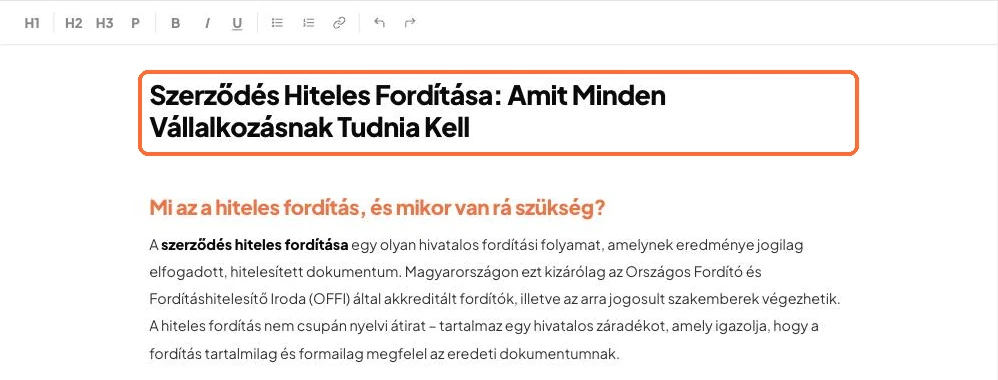
You can edit the title and the text directly. Use the toolbar to format (H1, H2, H3, bold, list, link).
The editor
STEP 3
Check the data for Google
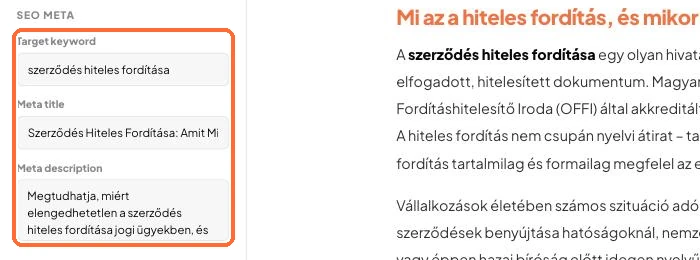
You can also rewrite the Target keyword, Meta title and Meta description fields. The SEO Score and the SEO Checklist show what to watch.
The SEO Meta panel and the checklist
STEP 4
Save, or undo
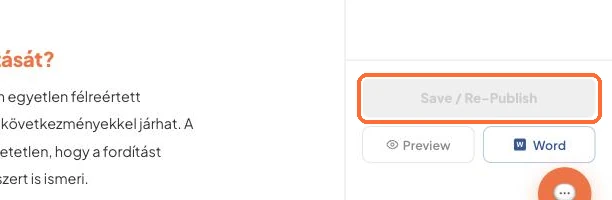
To save, click the Save button at the bottom right (Save / Re-Publish for an article that is already live). If you change your mind, use the undo arrow in the toolbar.
The Save button at the bottom right of the editor
Good to know:
To make future articles better from the start: Settings → Brand DNA → Instructions for Blost. Write down what to focus on or avoid.
For an article that is already live, the change also updates on your website after you save.
✓ Done!
Didn't work, or stuck?Ask the Blost AI assistant (bottom right corner), or write to us: info@blost.ai